Setup and Configure Experiments
Run experiments with available environments and models
A series of demo experiments are provided in the rlhfblender_demo_models directory.
You have a series of options to setup an experiment fitting your requirements. By default, RLHF-Blender provides a series of avaialble feedback types, and can show a variety of information during the experiment. All of these options can be configure in the frontend.
1. Configure via the frontend
The frontend allows you to easily configure your experiments based on the avaialble feeedback types and implemented components. You can reach the configuration page via the URL http://localhost:5000?studyMode=configure.

In the config mode, controls to choose the environment and configurations are available for individual configuration of the application.
In the configure mode, you can select an experiment from the dropdown menu. See Generate Data and Add New Experiments for instructions on how to register new experiments/environments.
In the UI config, you can configure the user interface according to the desired experiment setup. This includes choosing the feeback types given to the users, which information is shown to the user, how many options are available, etc.:
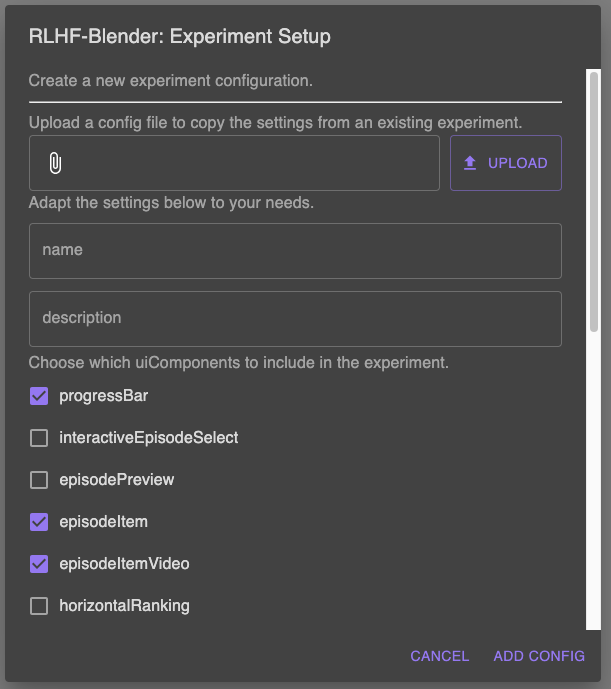
Configuration of the application via the frontend interface.
We advise you to try out the different options to get a feeling for the different possibilities. You can perform a full study with loaded data in the configuration mode.
If you are satisfied with your configuration, you can save it by clicking on the “Save Current Config For Study” button. You can then load and deploy this configuration in the study mode.
You can determine the default configuration a study by using the –backend-config`and `–ui-config options when starting the backend, respectively. Equivalently, you can pass both as query parameters to the frontend URL, e.g. http://localhost:5000?studyMode=configure&backendConfig=<your_custom_config>&uiConfig=<your_custom_ui_config>.
2. Configure via the config file
You can also directly via the config files, placed on the configs directory.